Clearing your Browser Cookies
If you’re experiencing issues with a particular website, clearing your cookies may resolve them.
Select your browser:
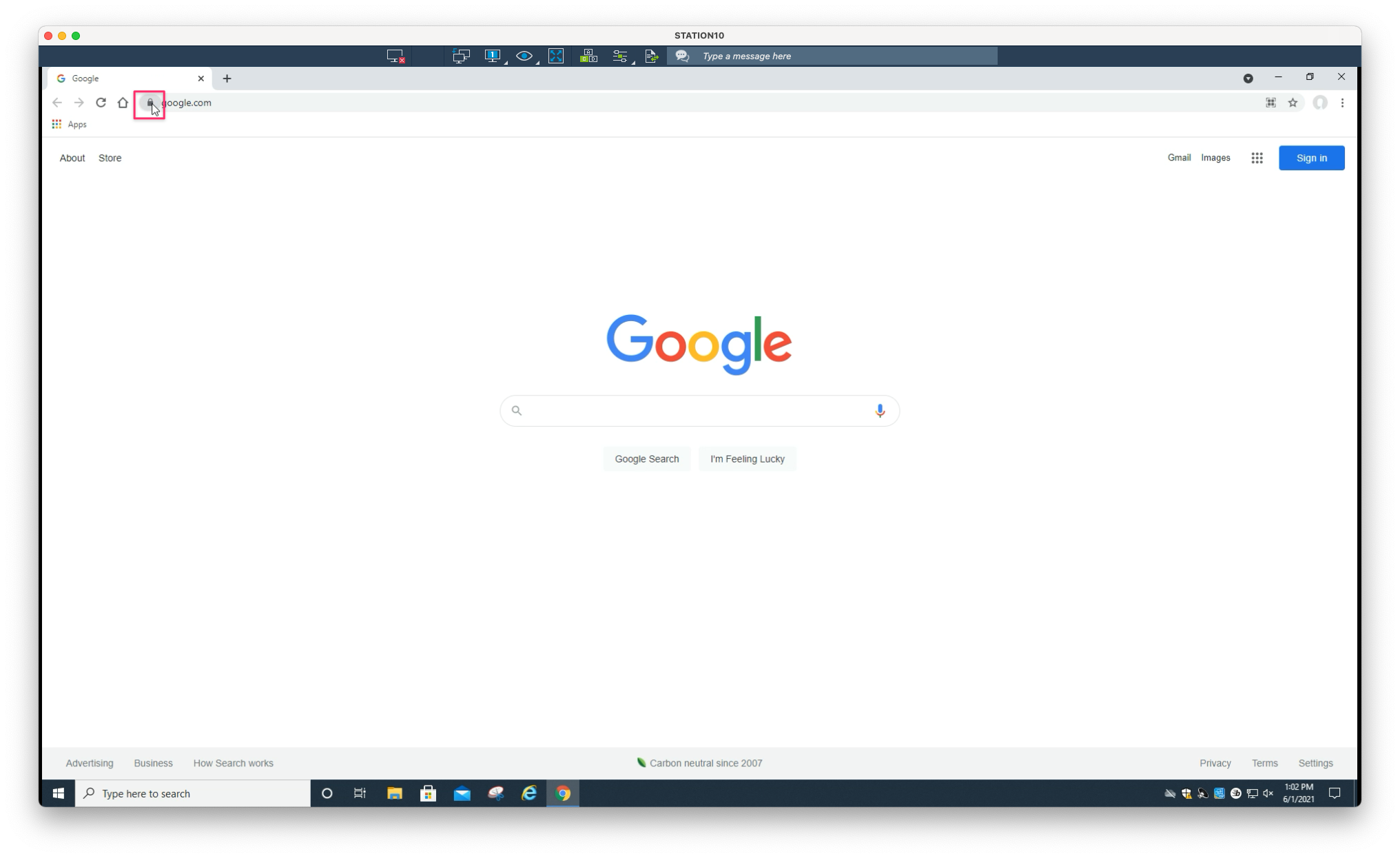
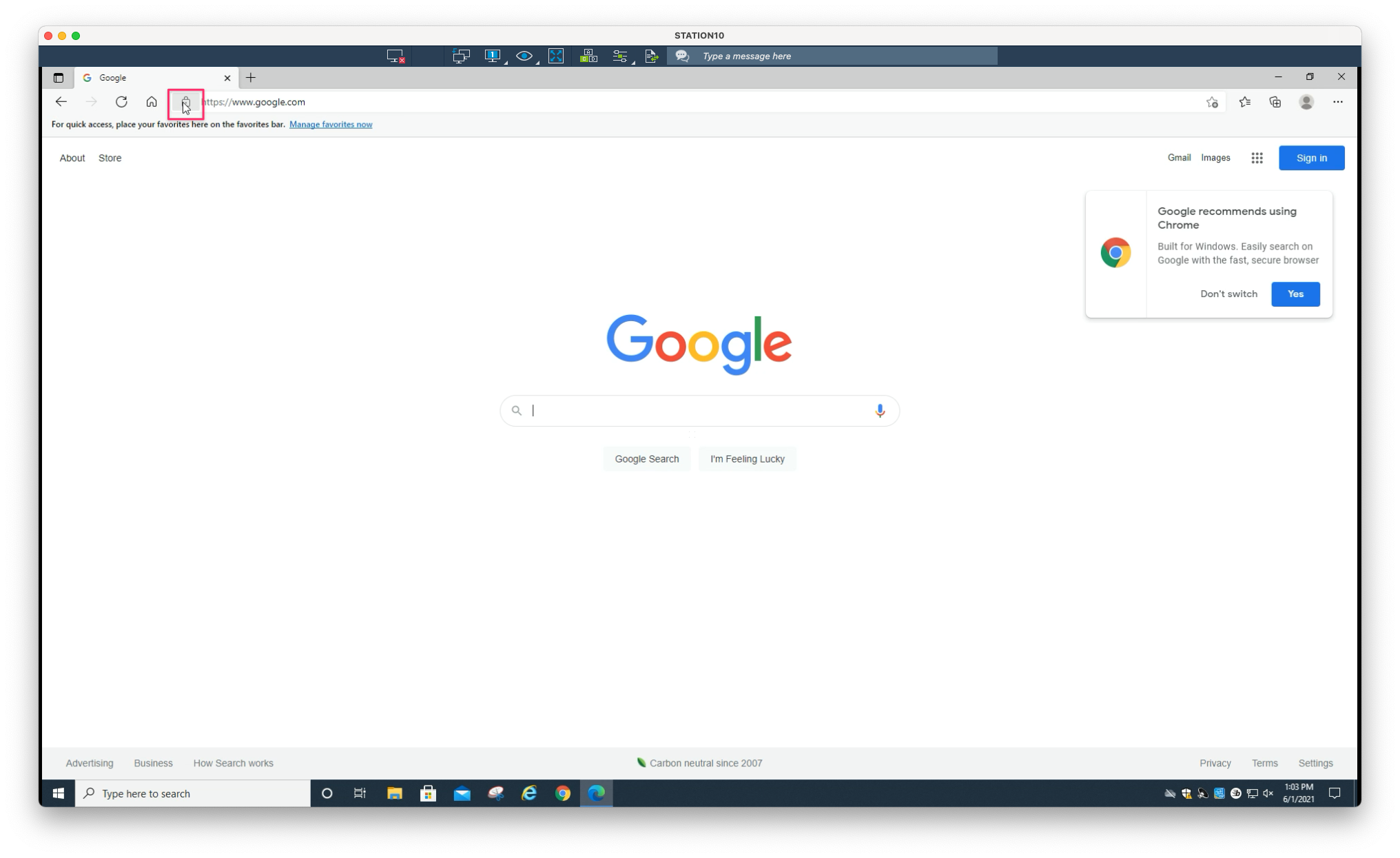
1. From the website you are having issues with, click on the pad lock icon located in the address bar
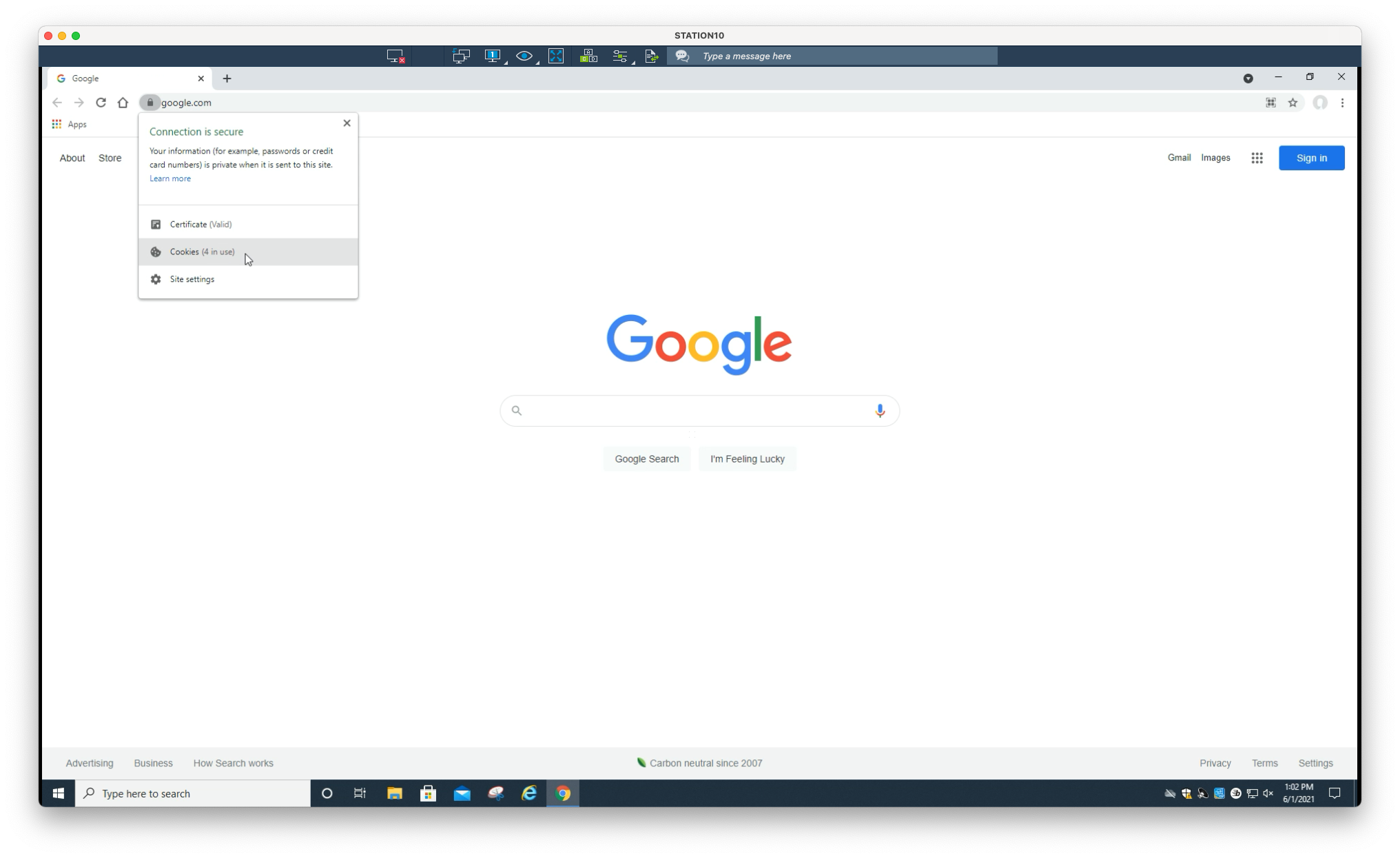
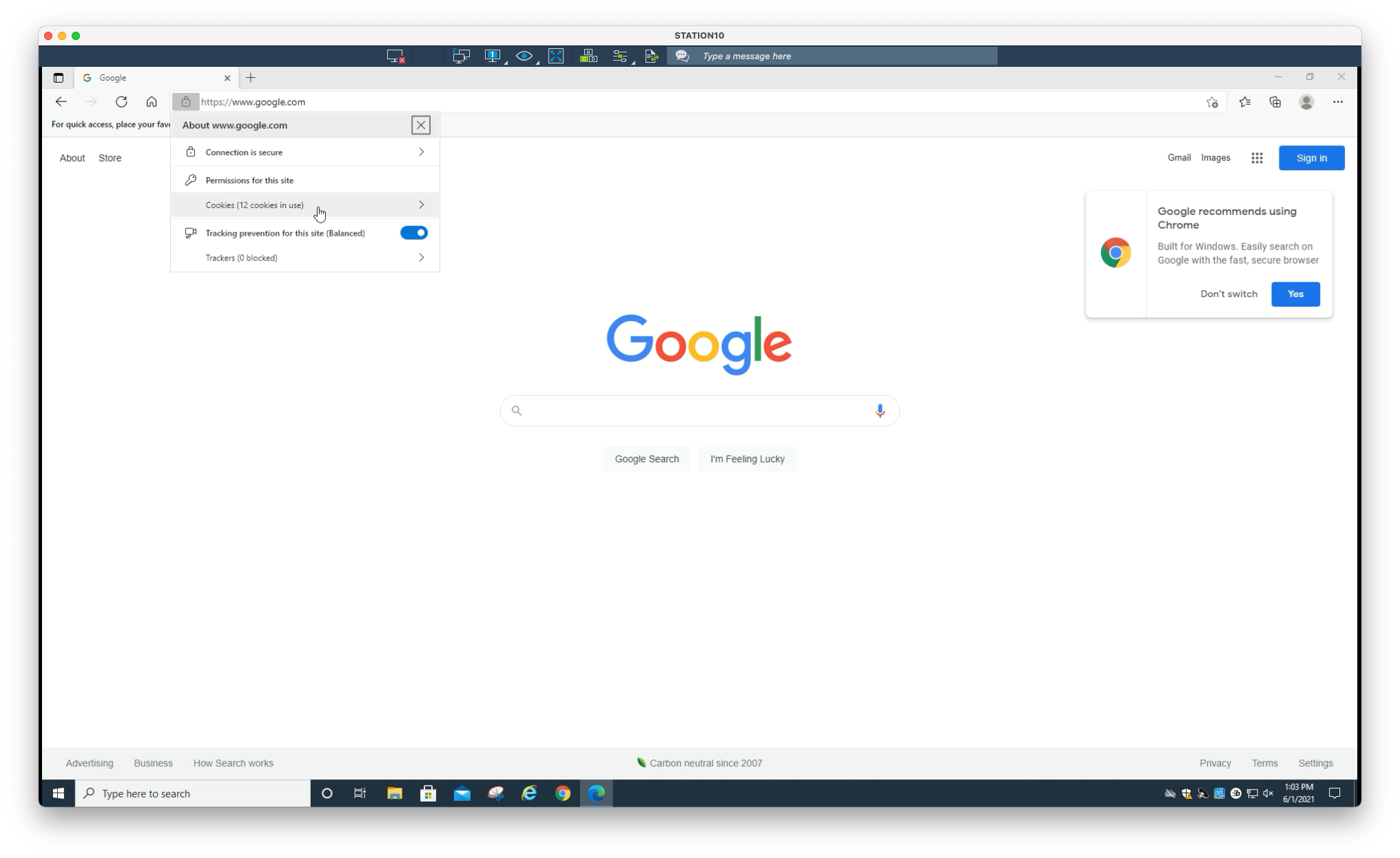
2. Select Cookies
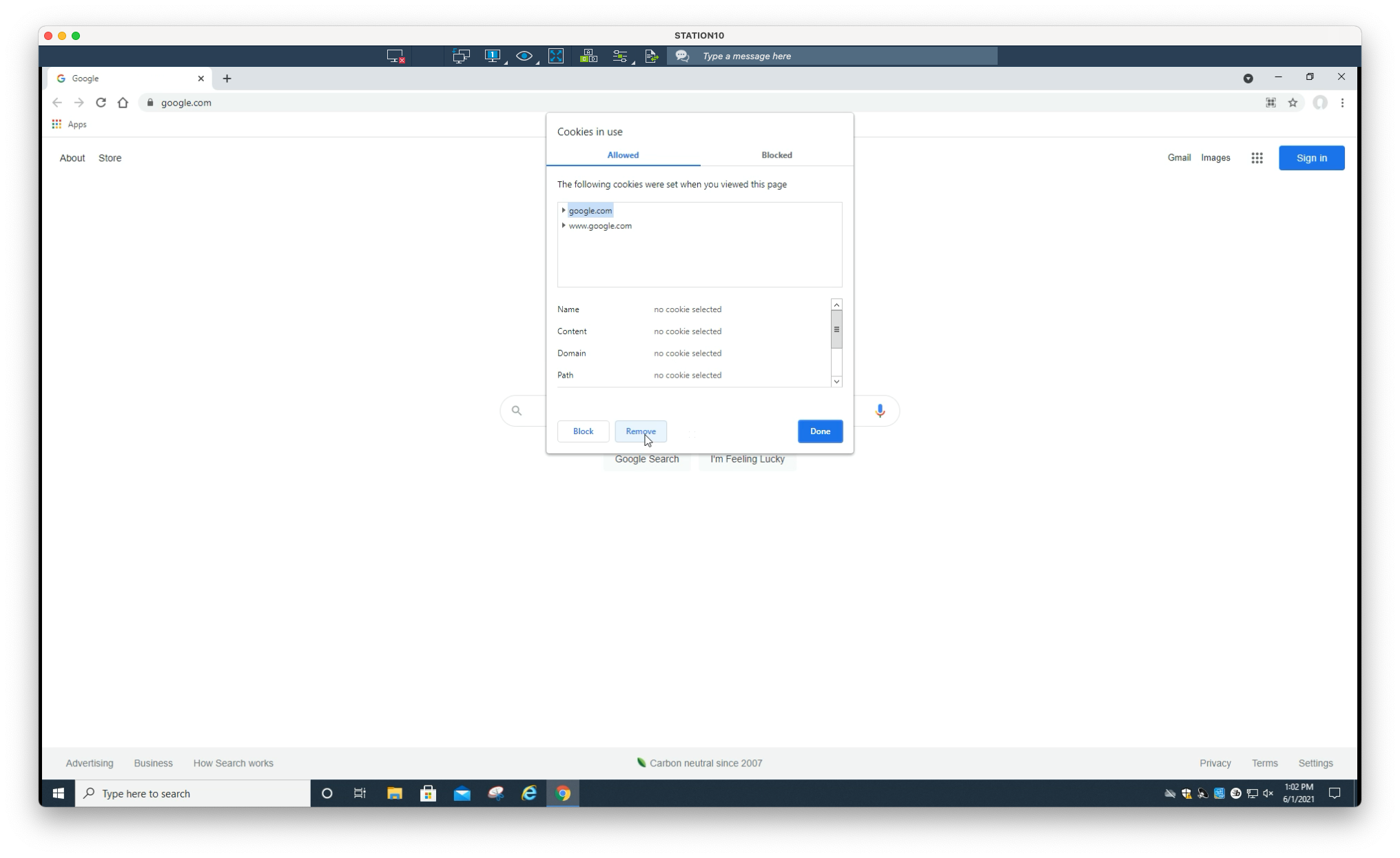
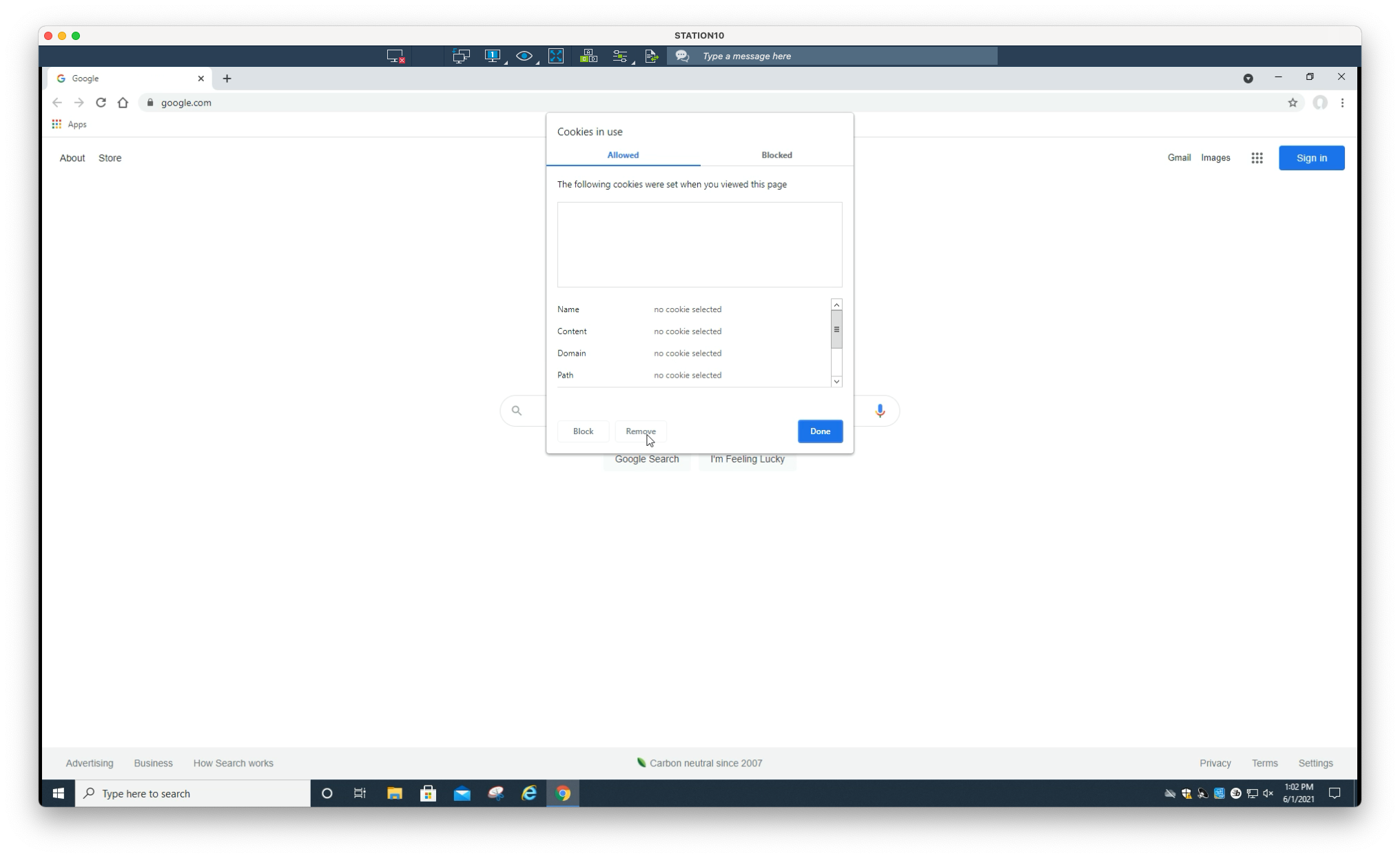
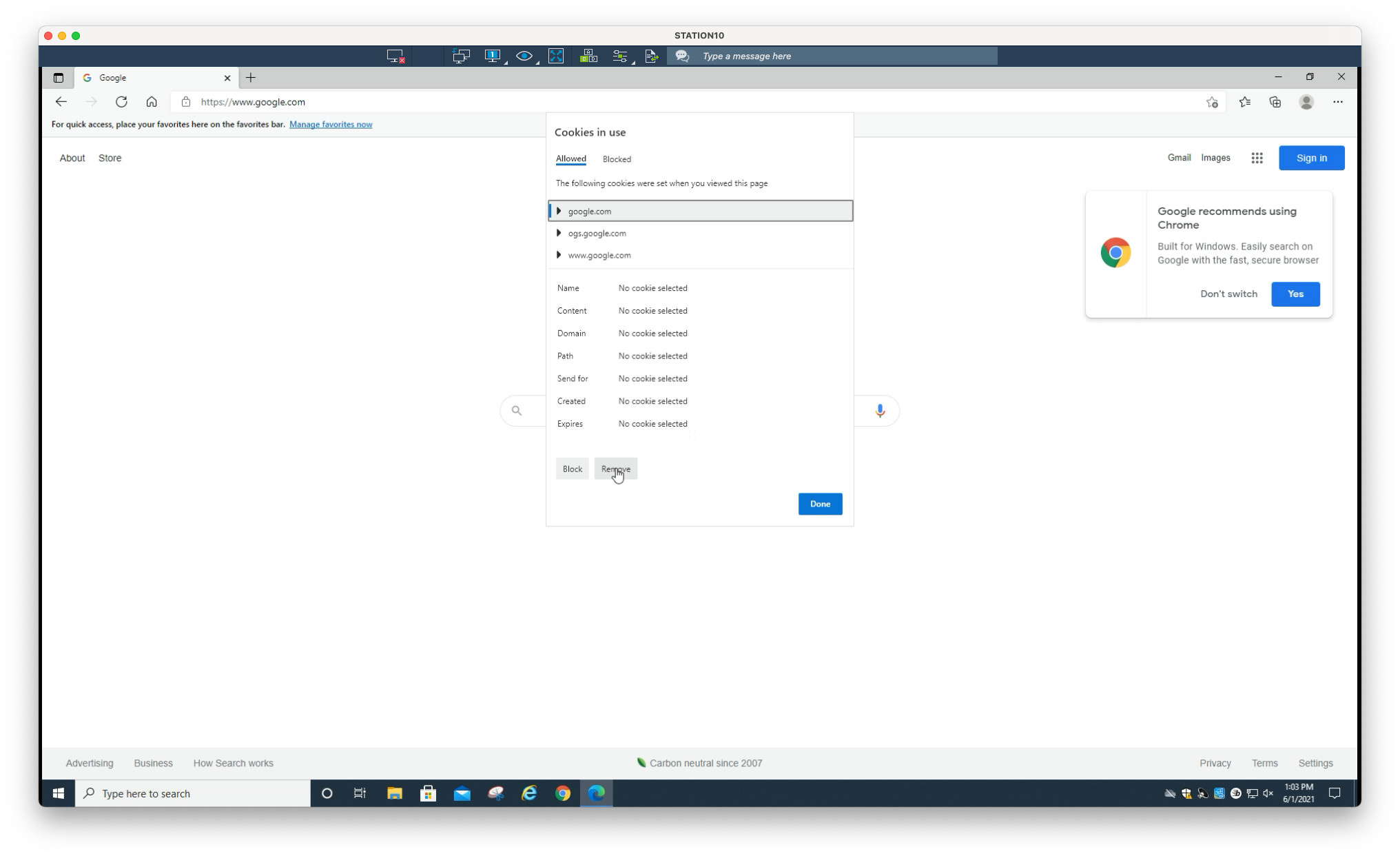
3. One-by-one, click on each domain in the list, then click Remove
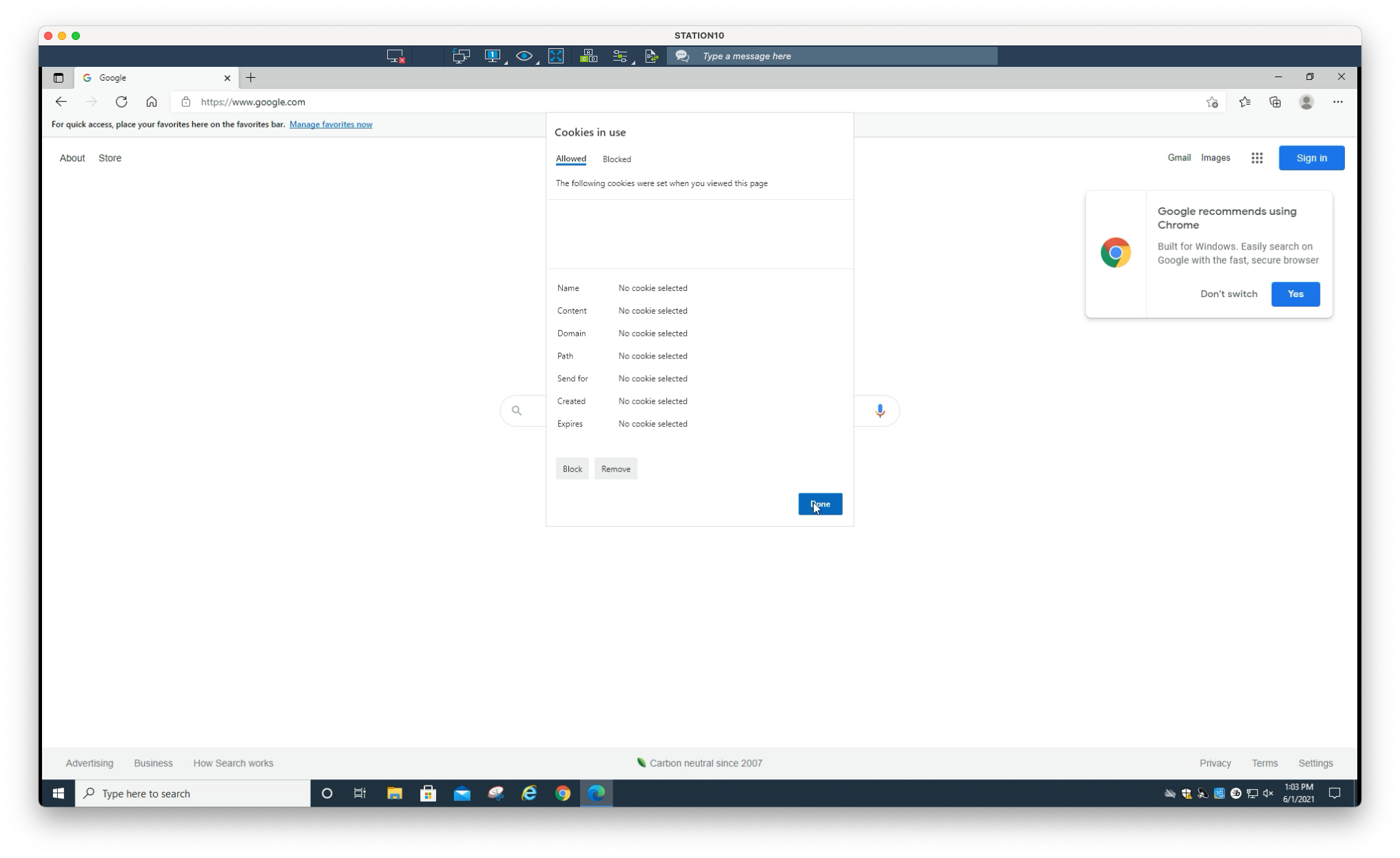
4. Select Done
Still need help?
Submit a Ticket