Disabling the Popup Blocker
Certain sites require that your popup blocker be disabled, in order to work properly. This guide will instruct you on how to do so.
Select your browser:
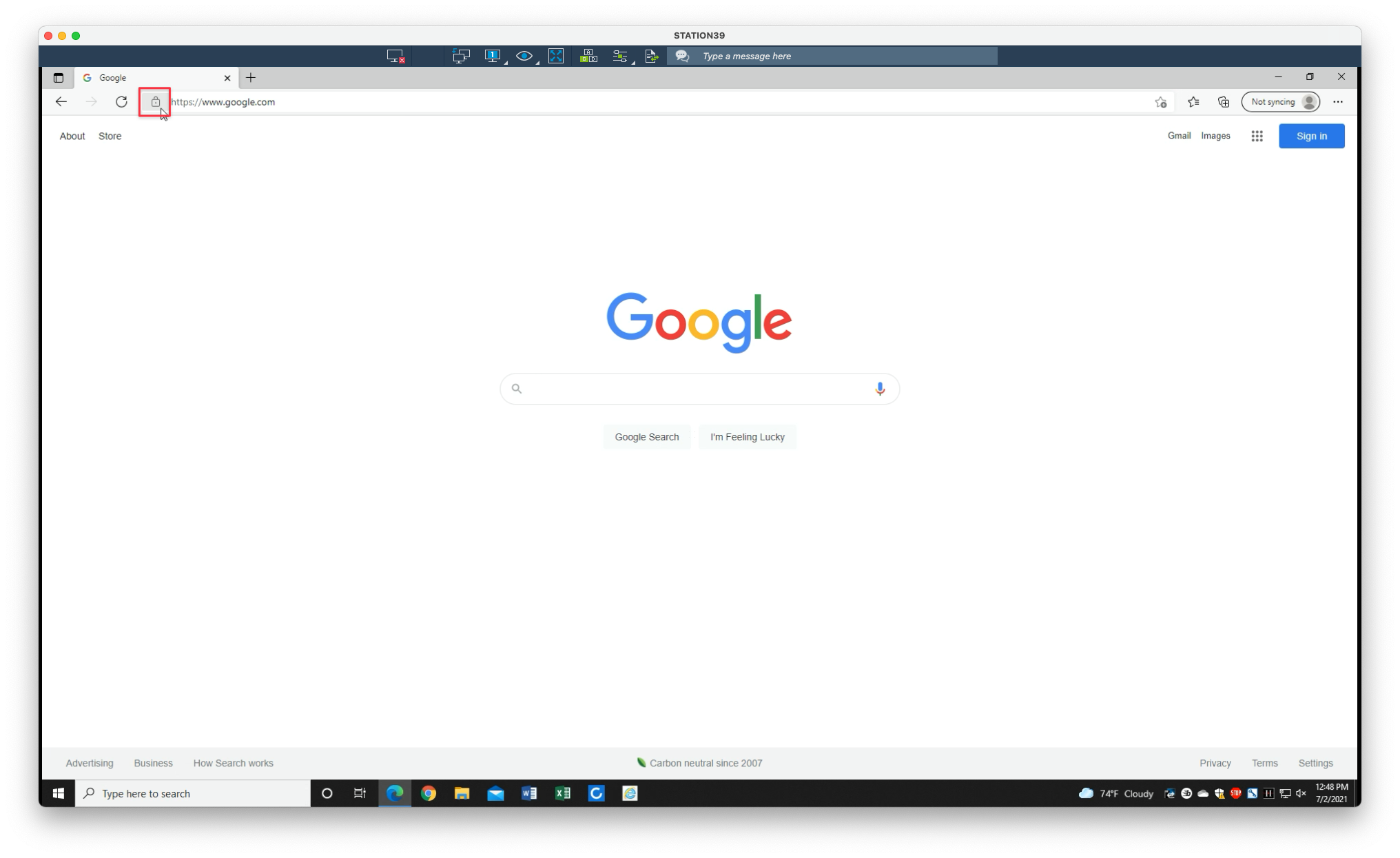
1. From the website in question, click on the pad lock icon located in the address bar
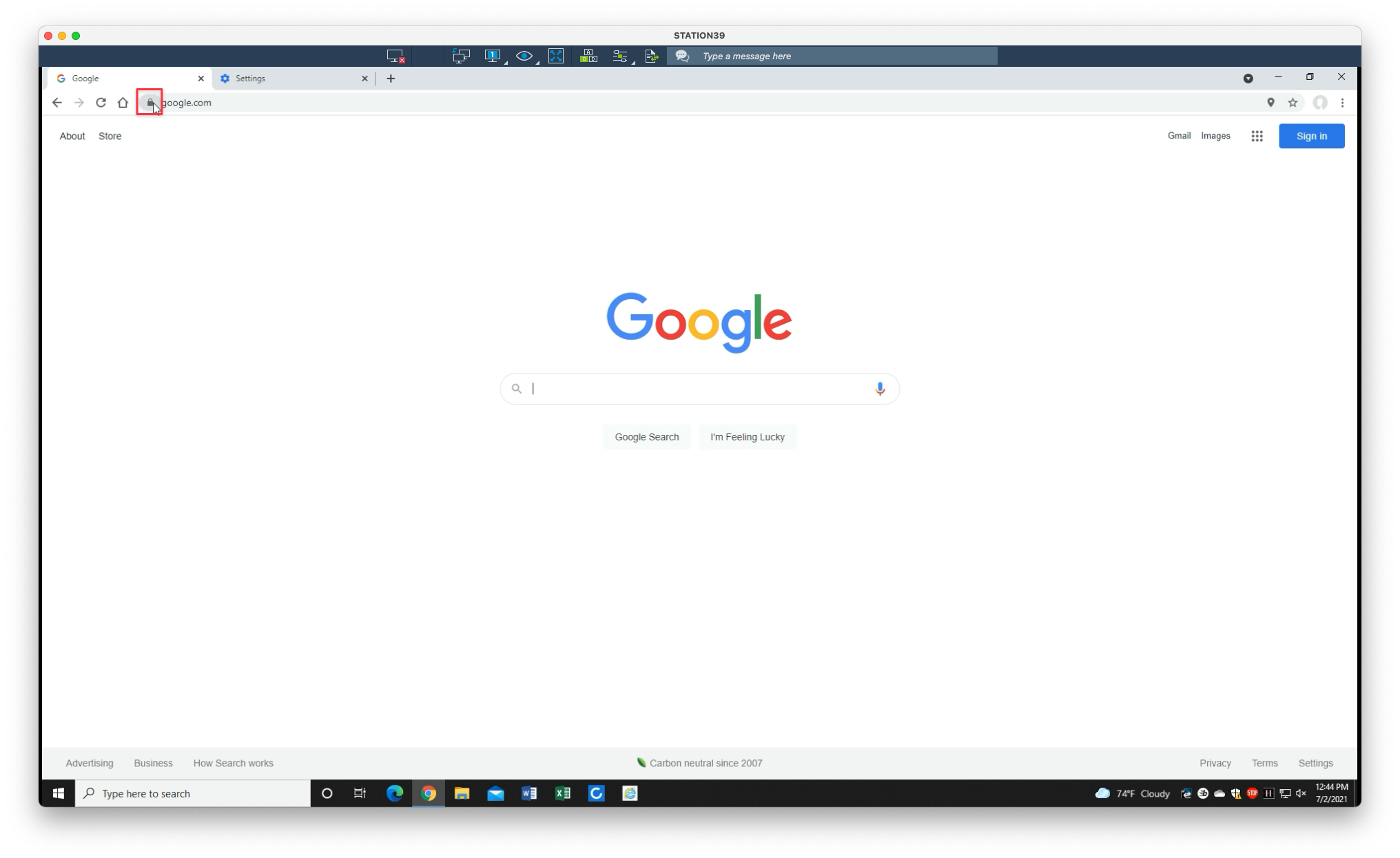
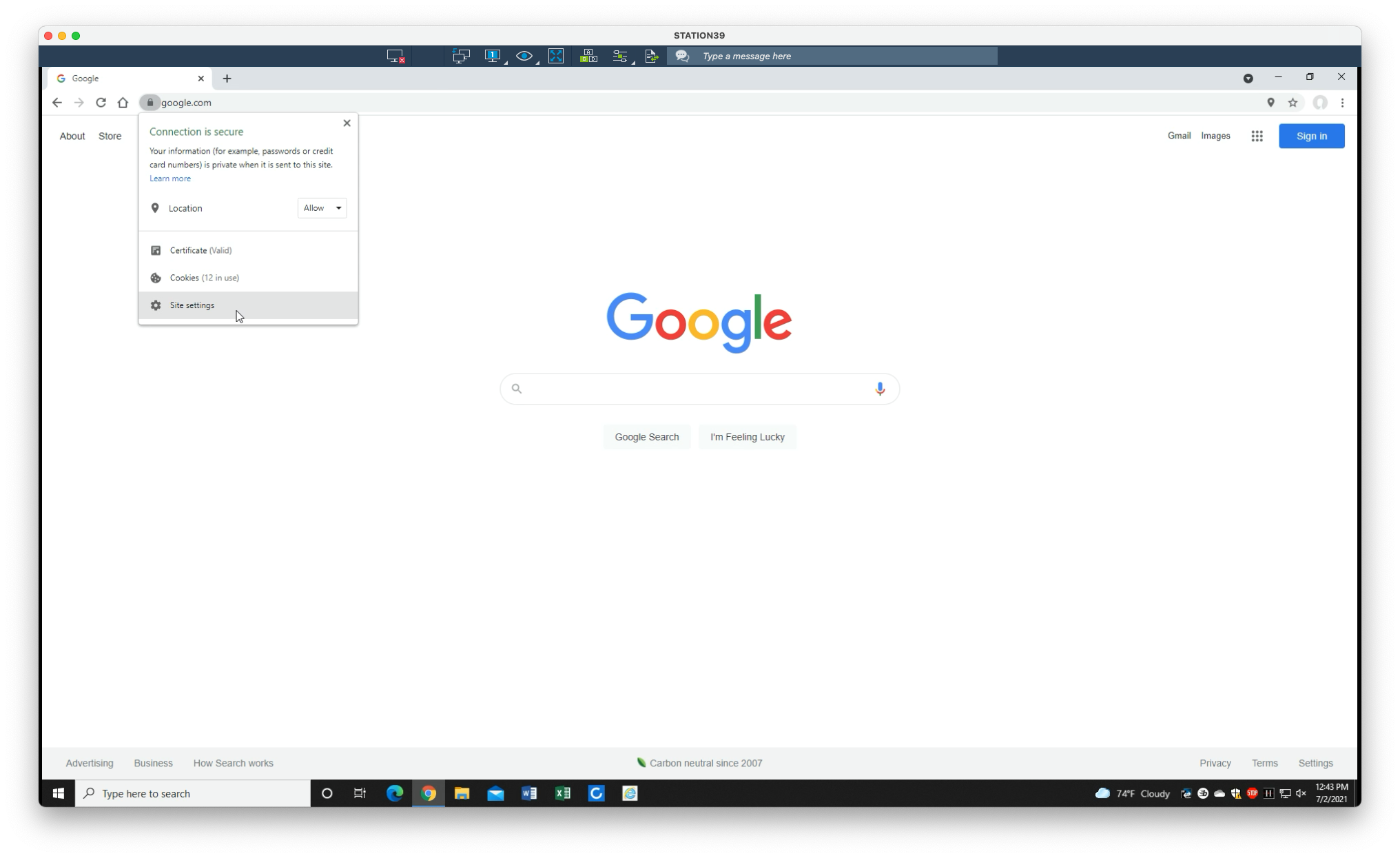
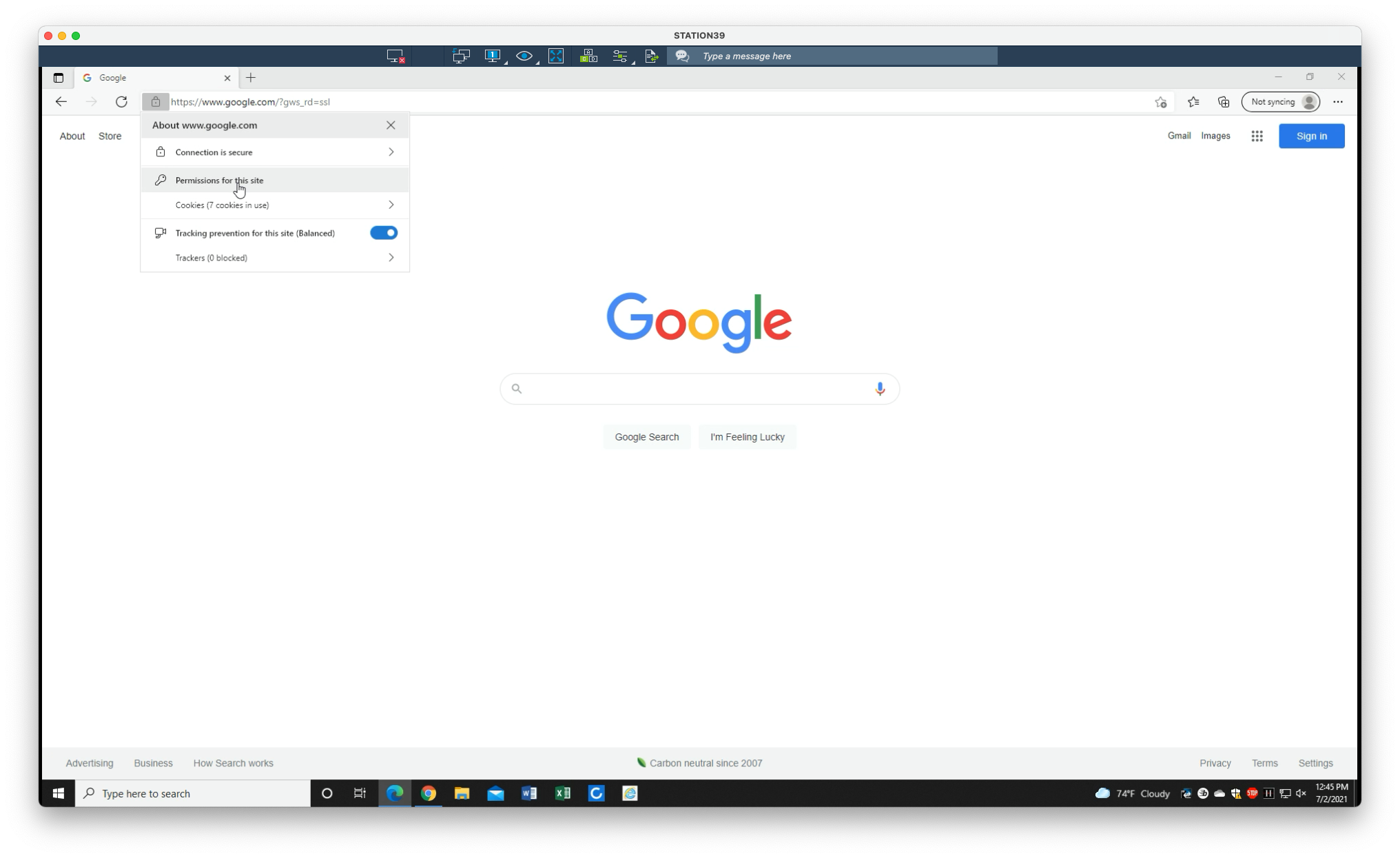
2. Select Site settings
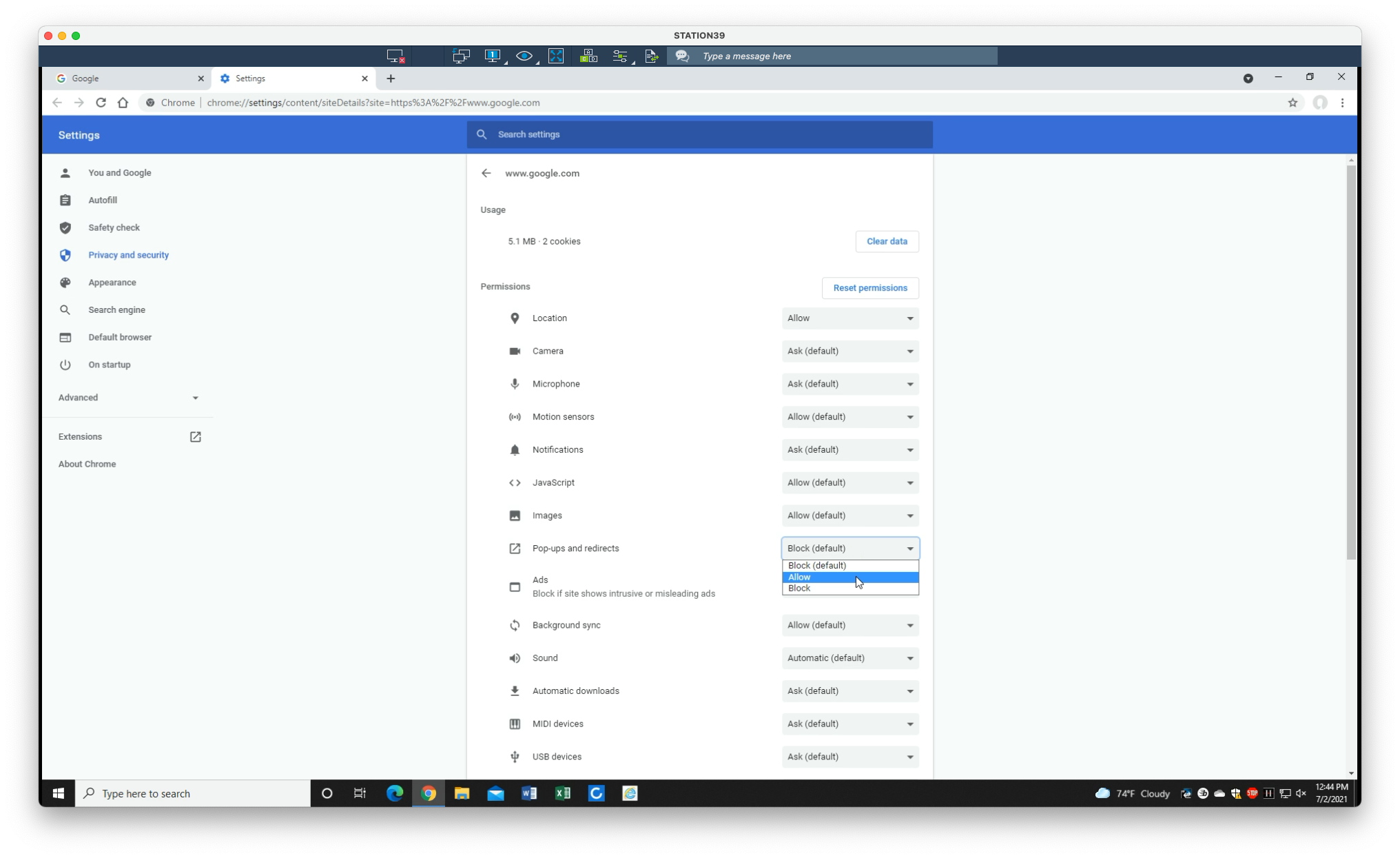
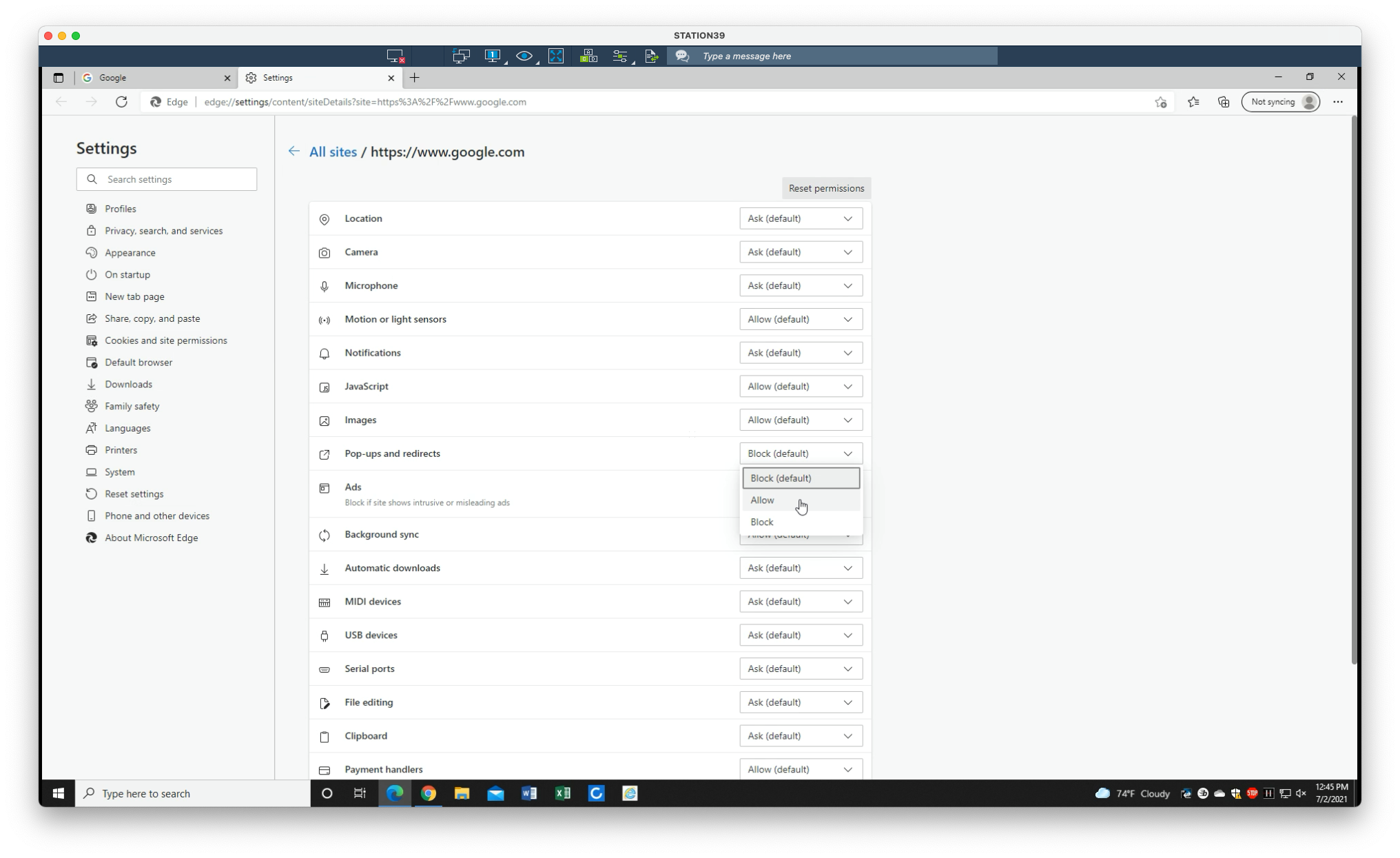
3. Select the dropdown under Pop-ups and redirects. Select Allow. Exit the tab
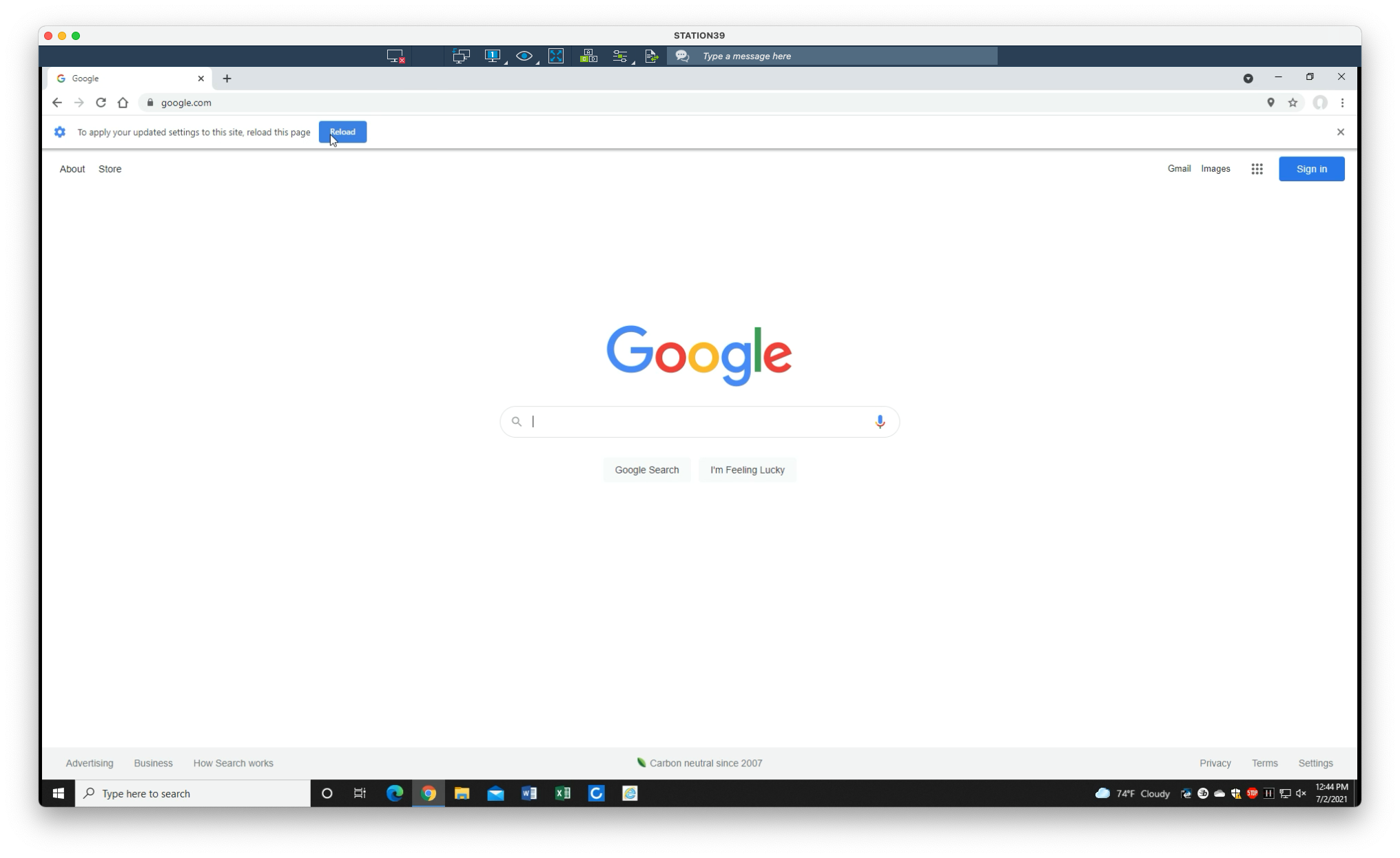
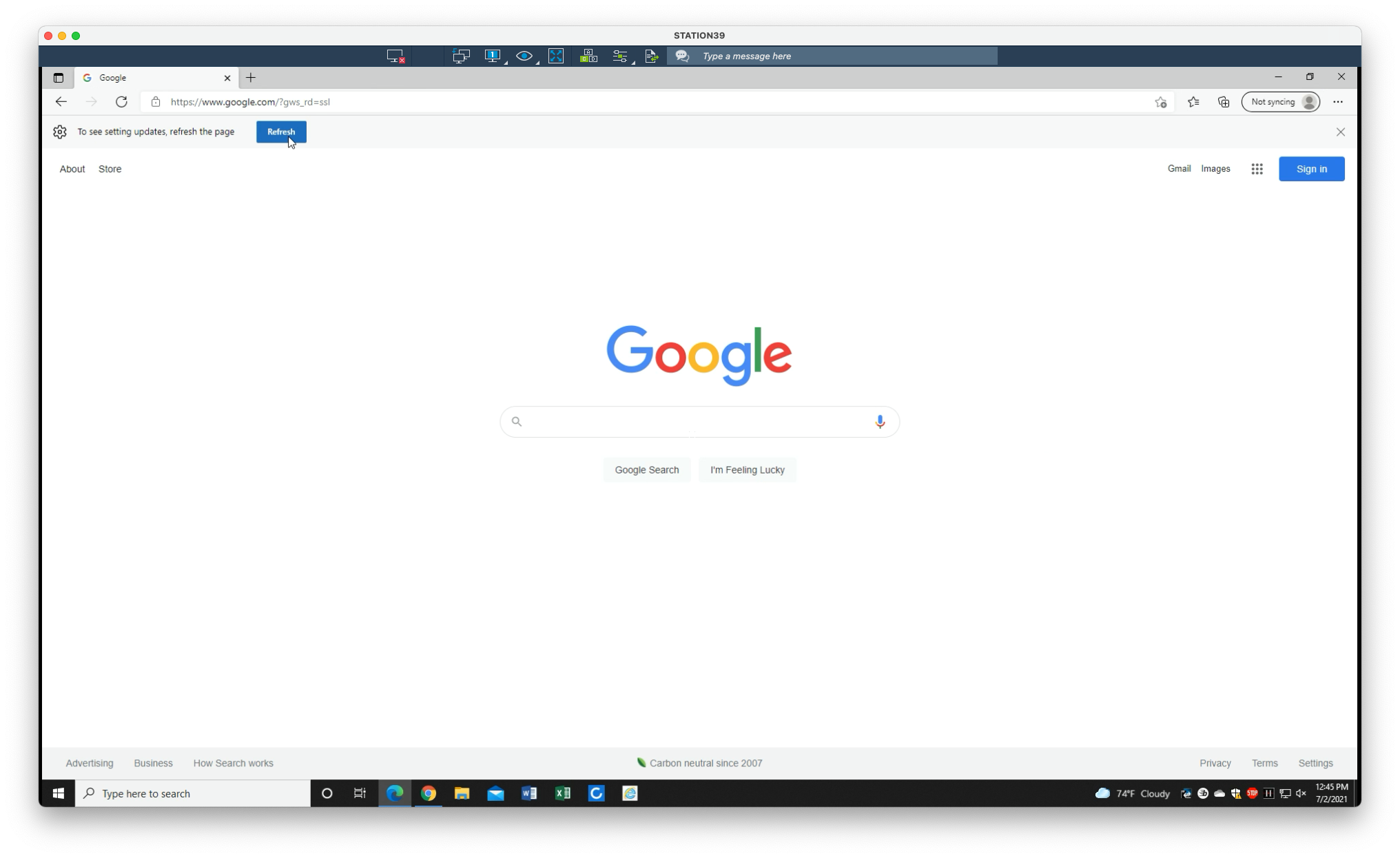
4. If prompted, select Reload
Still need help?
Submit a Ticket