Identifying your Device
By Hostname
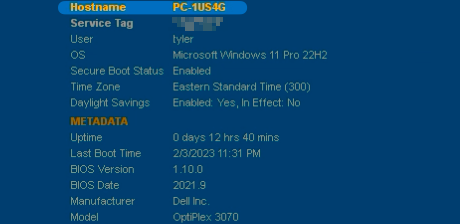
Generally, all managed computers are designated a PC-, or MOBILE- name ("hostname") — eg. PC-XM8D3. On workstations, this can be found in the top-right of the desktop, under Hostname:
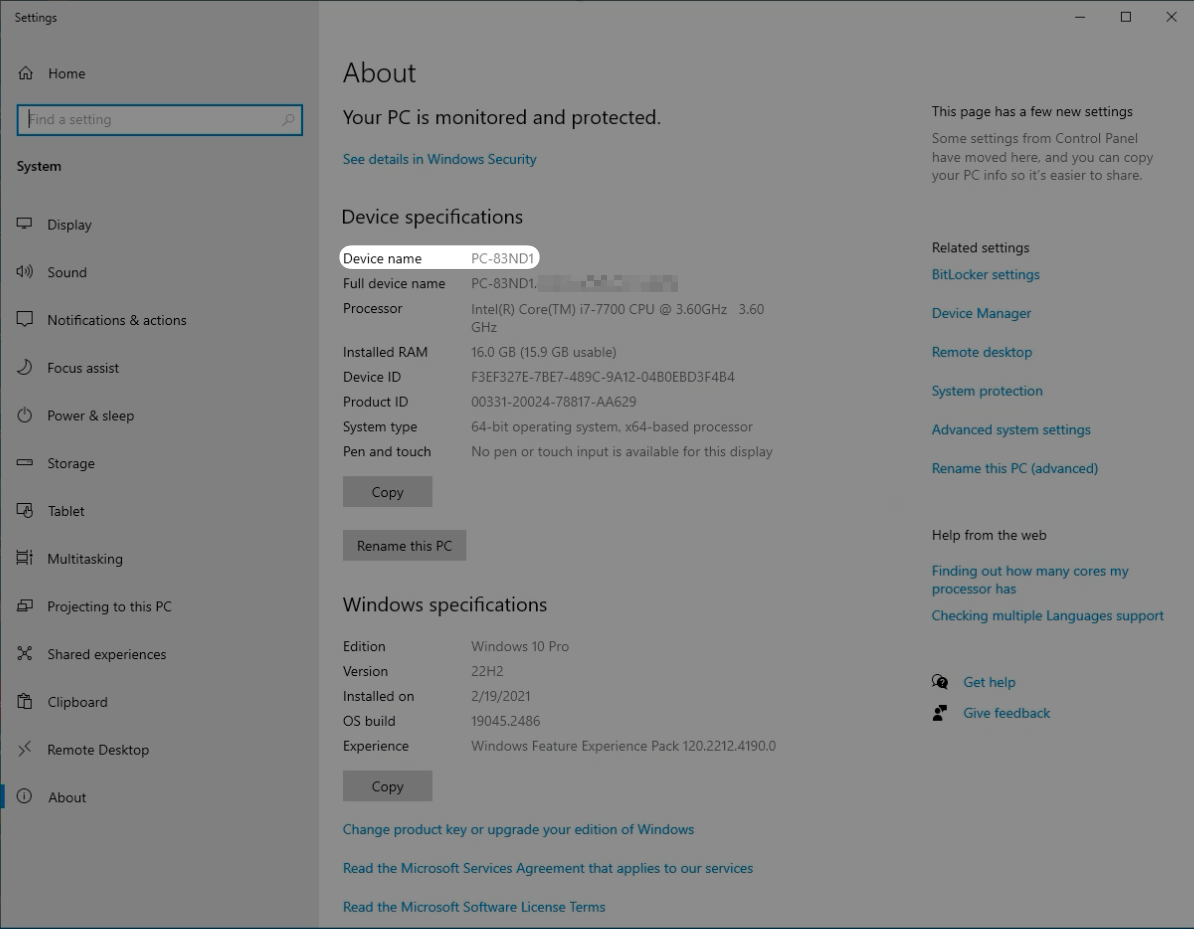
If this is not visible to you, you may also identify the hostname via the System Properties screen:
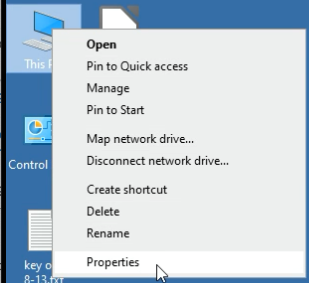
1. From the Desktop, right-click on the This PC icon

2. Select Properties
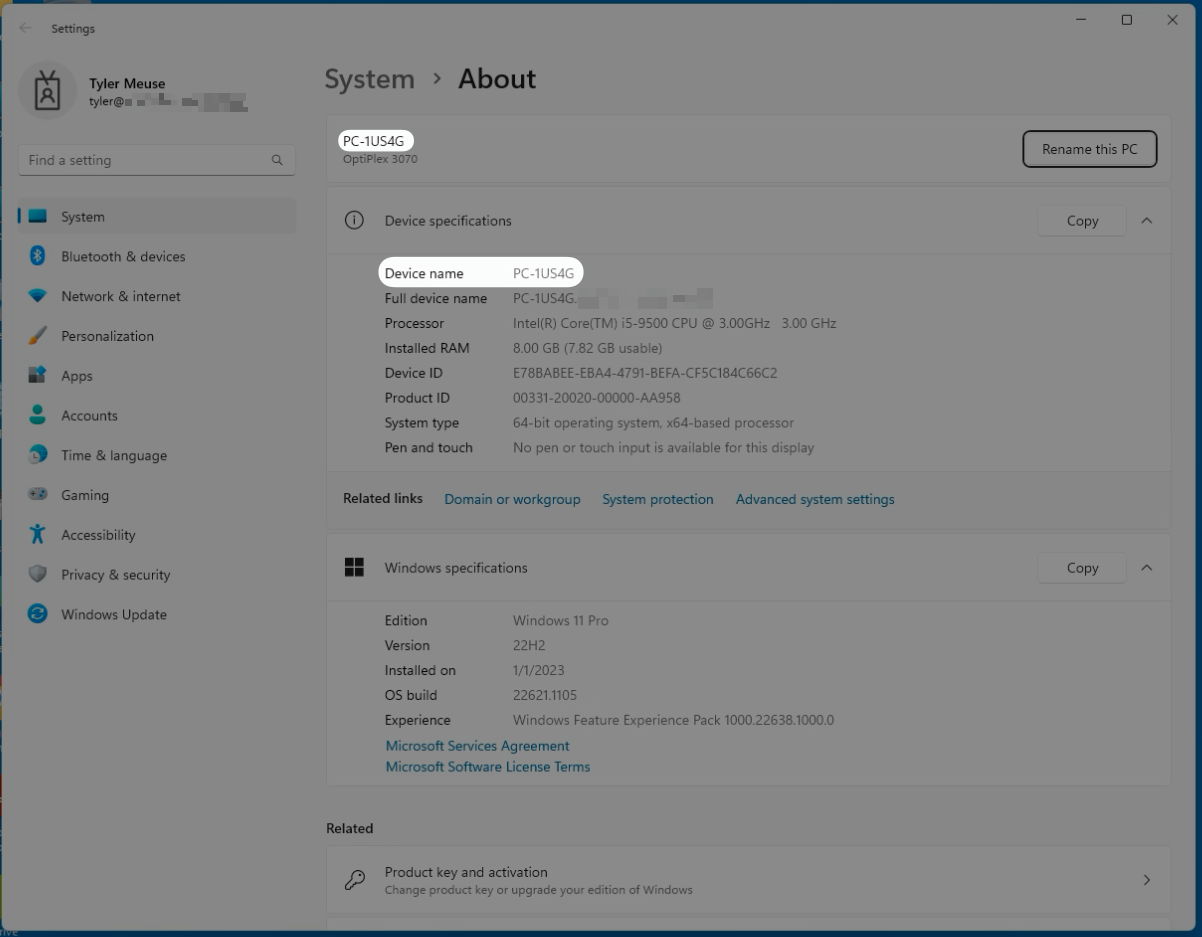
3. The hostname will be listed under Device name:
Windows 11
Windows 10
By Serial Number / Service Tag
If you cannot identify a device by its hostname, you may instead use the Serial Number or Service Tag.
Desktops
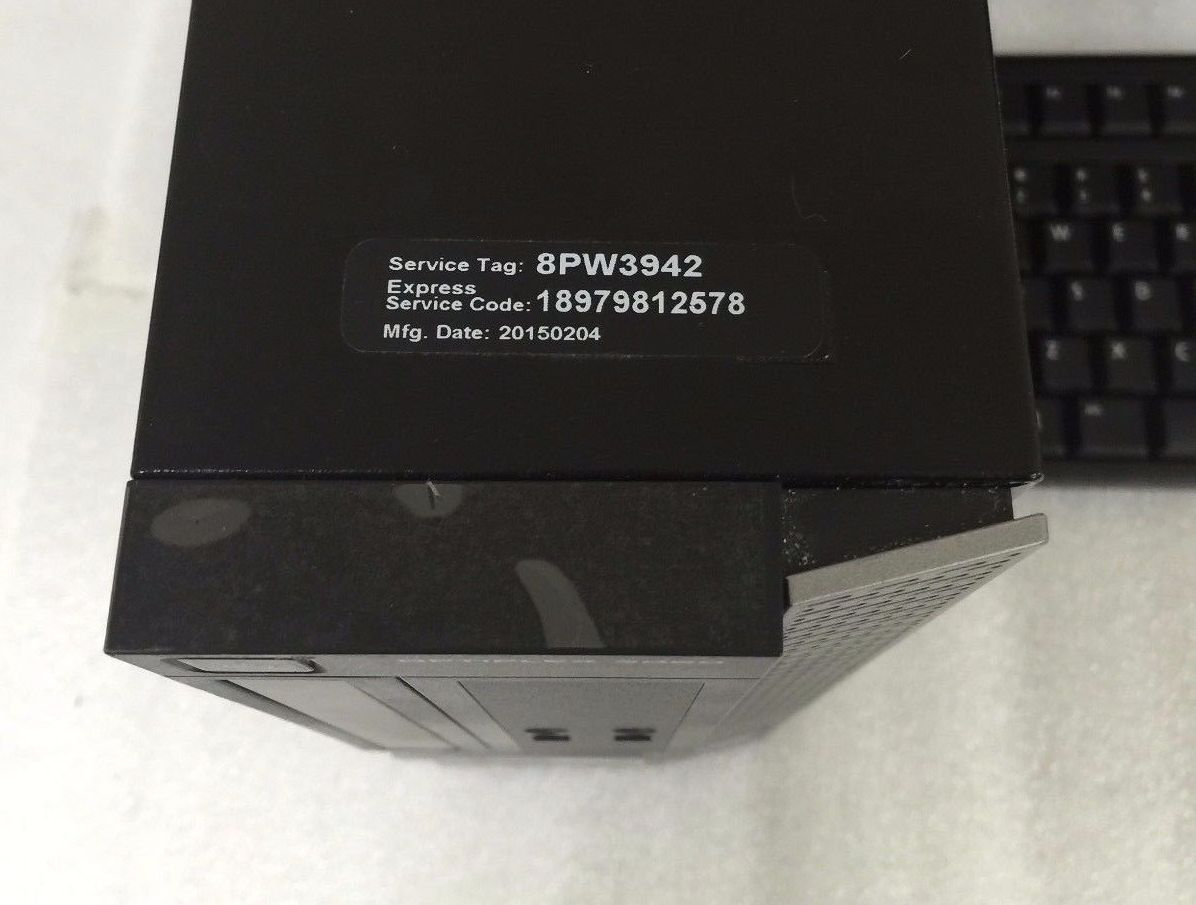
On Dell desktops, you will find the Service Tag on a black label affixed to the top of the computer:
Laptops
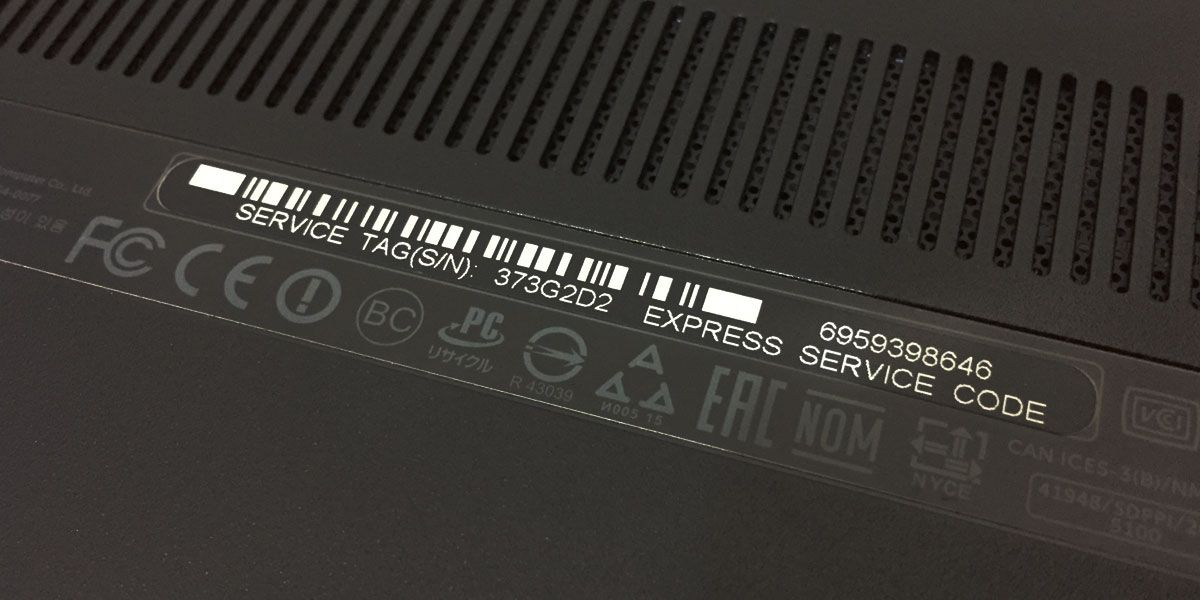
On Dell laptops, you will find the Service Tag on a black or white label affixed to the bottom of the computer:
Surfaces
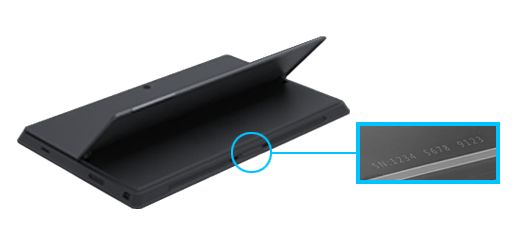
On Microsoft Surfaces, you will find the Serial Number under the kickstand. Open the kickstand to reveal the label underneath: