Sharing your Calendar
Sharing your Calendar
Applies to Microsoft 365 users
1. Navigate to
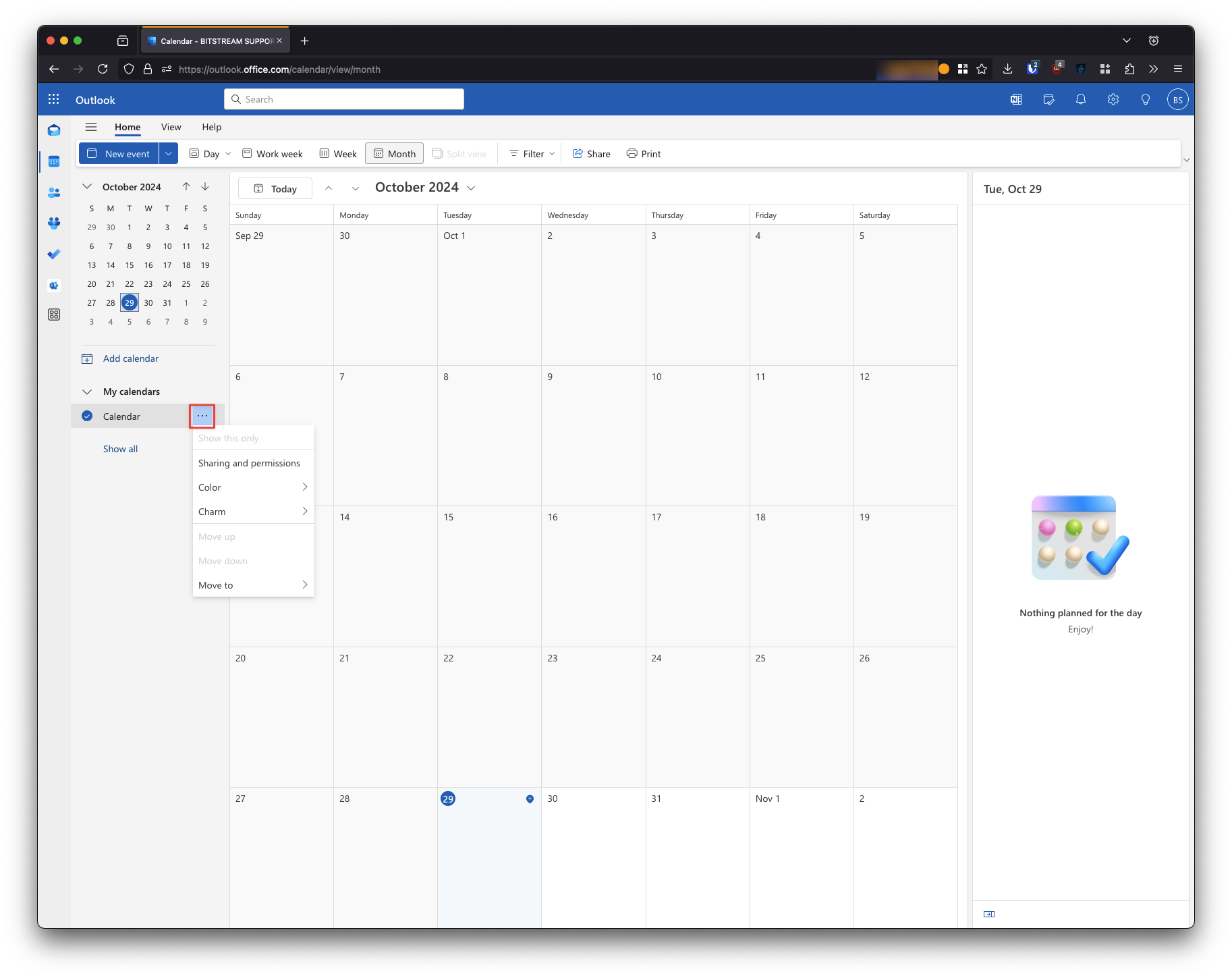
outlook.office.com2. From the Calendar view, select the context menu … next to the calendar you wish to share with others
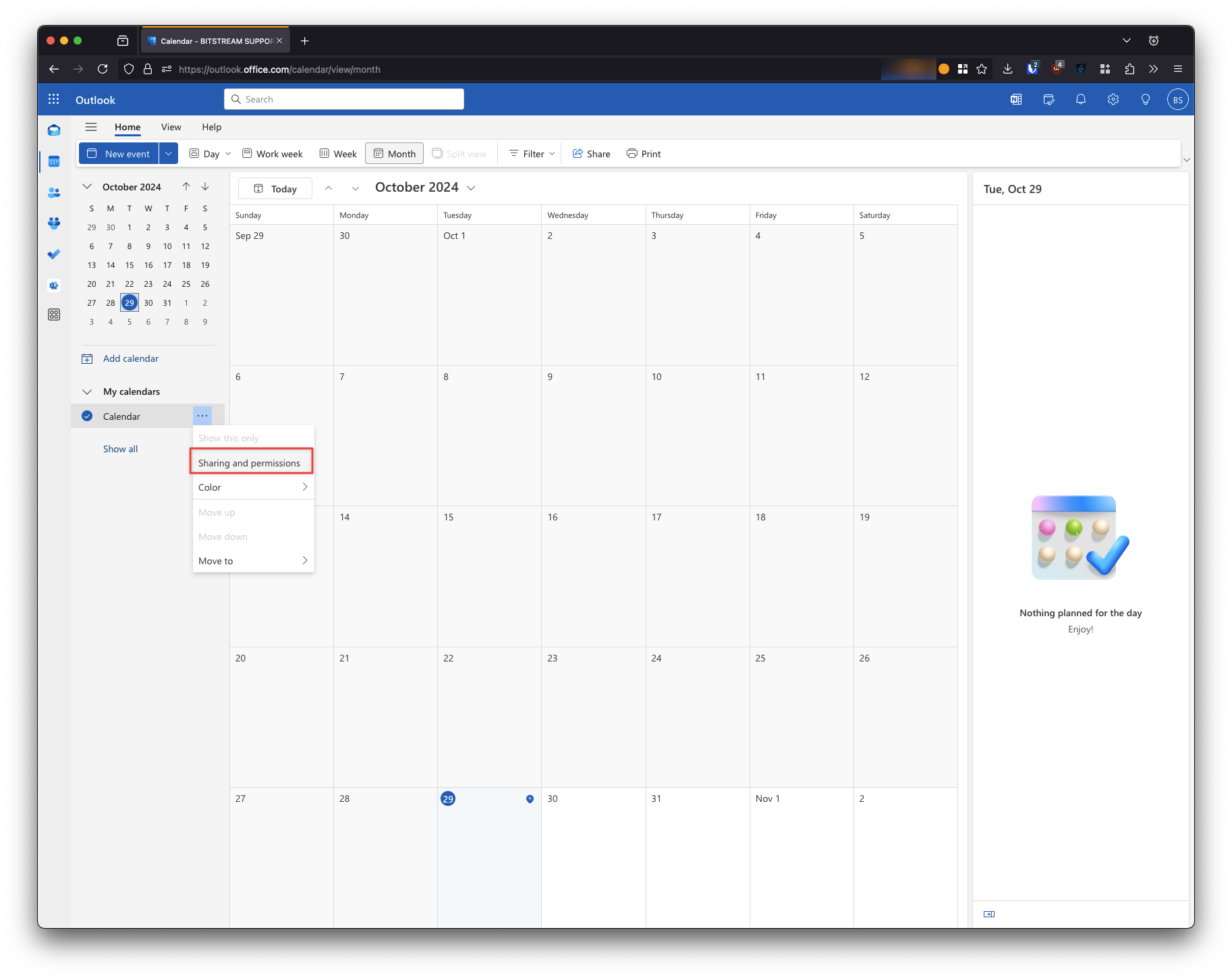
3. Select Sharing and permissions
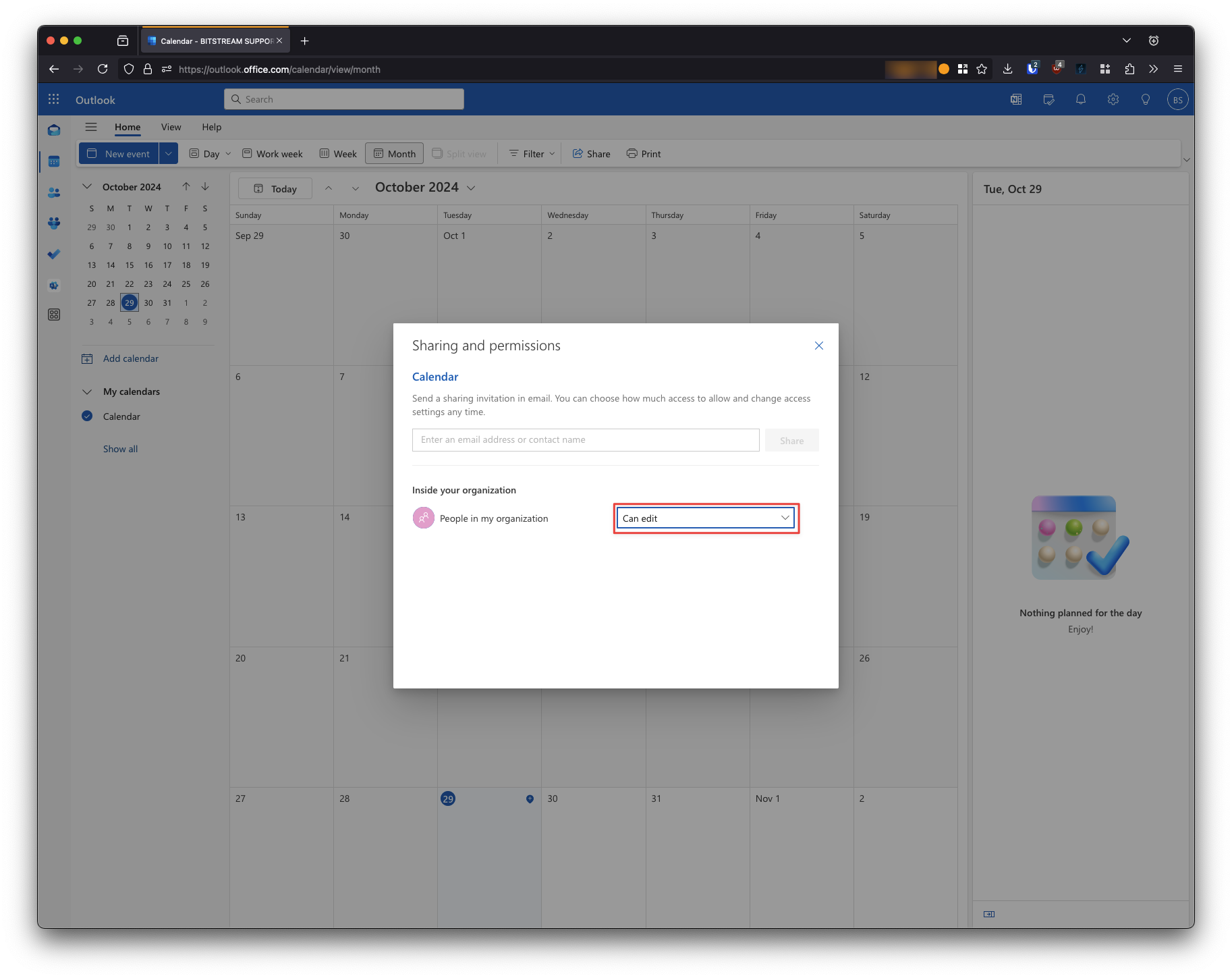
If you wish to share your calendar across the entire organization:
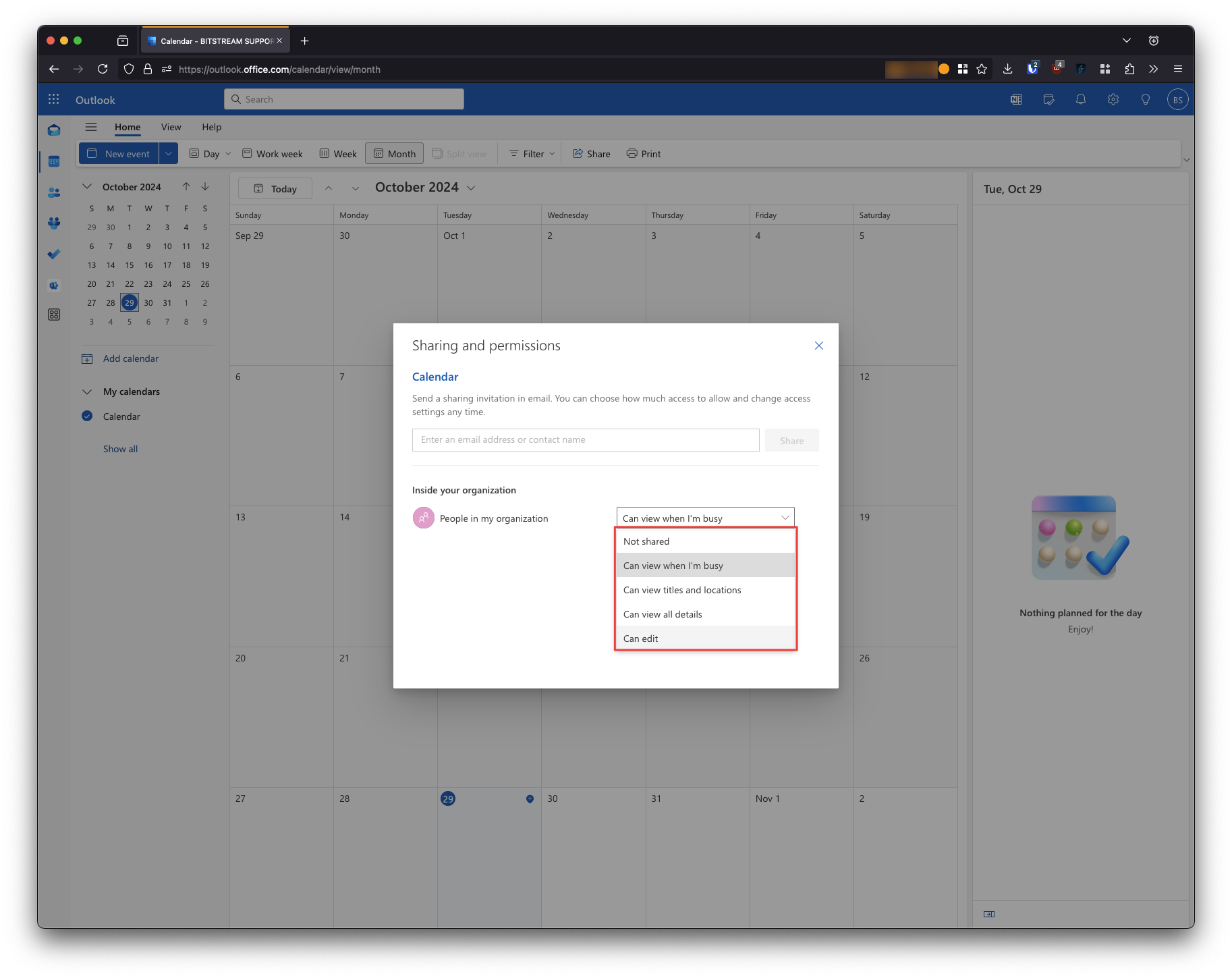
3. Select the appropriate sharing option from the dropdown menu
If you wish to share your calendar with select members of the organization:
3. Search for and select the member you wish to share your calendar with
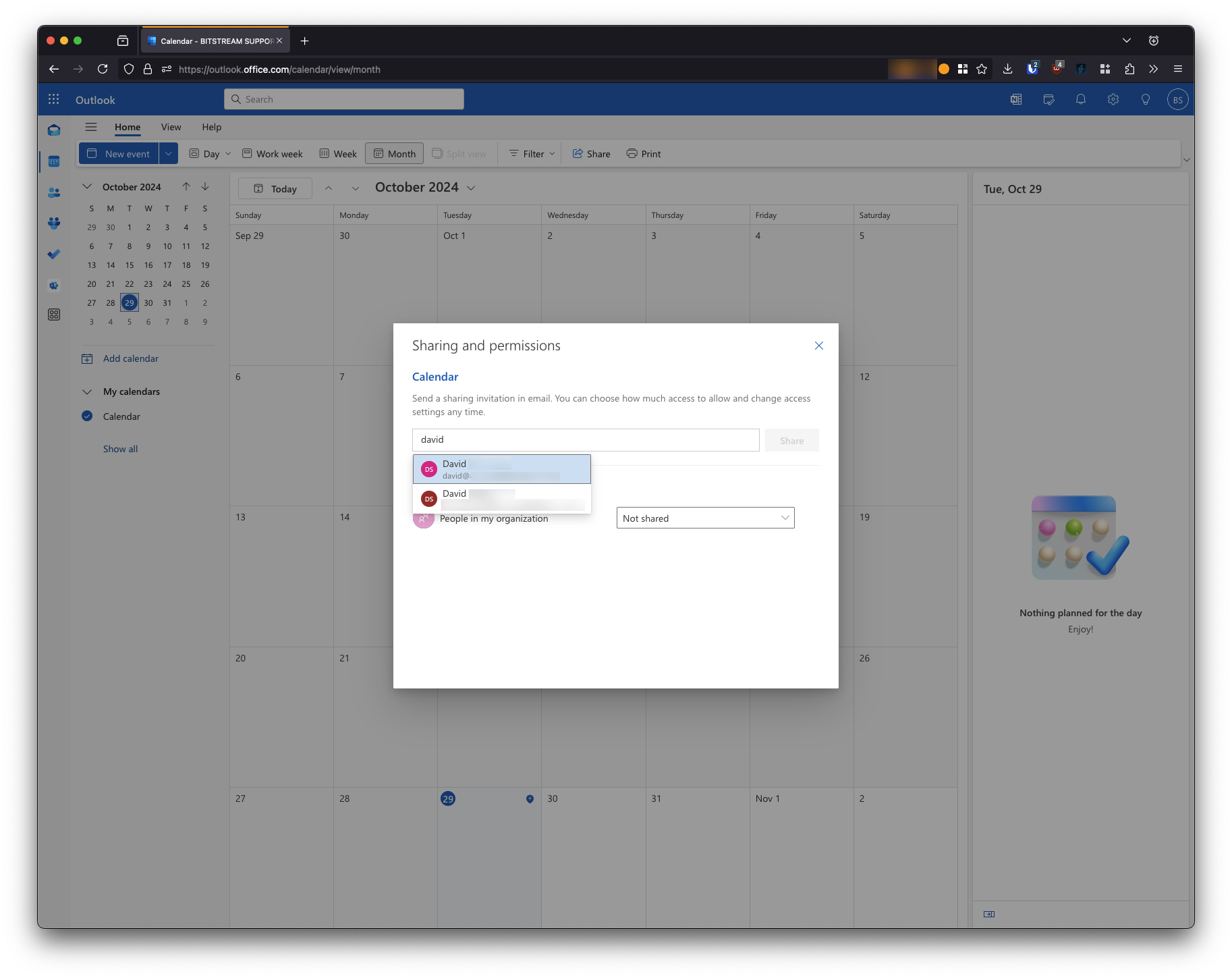
4. Select the appropriate sharing option from the dropdown menu
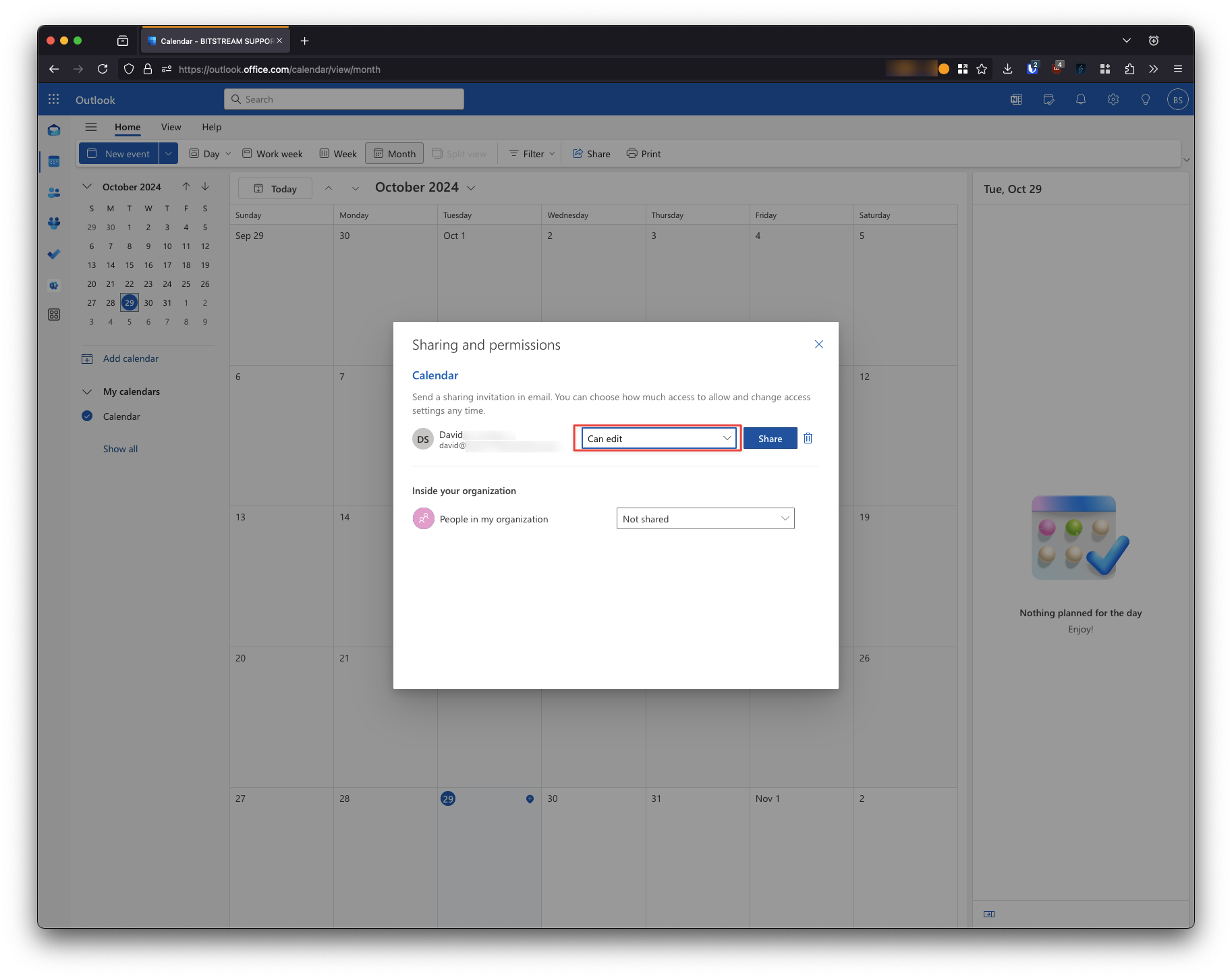
5. Select Share
✓ That’s it! Your calendar should be shared with the option you selected.
Still need help?
Submit a Ticket