Action Required: Azure VPN Breaking Change
This affects users of the Azure VPN service, which connects users to remote resources while away from the office.
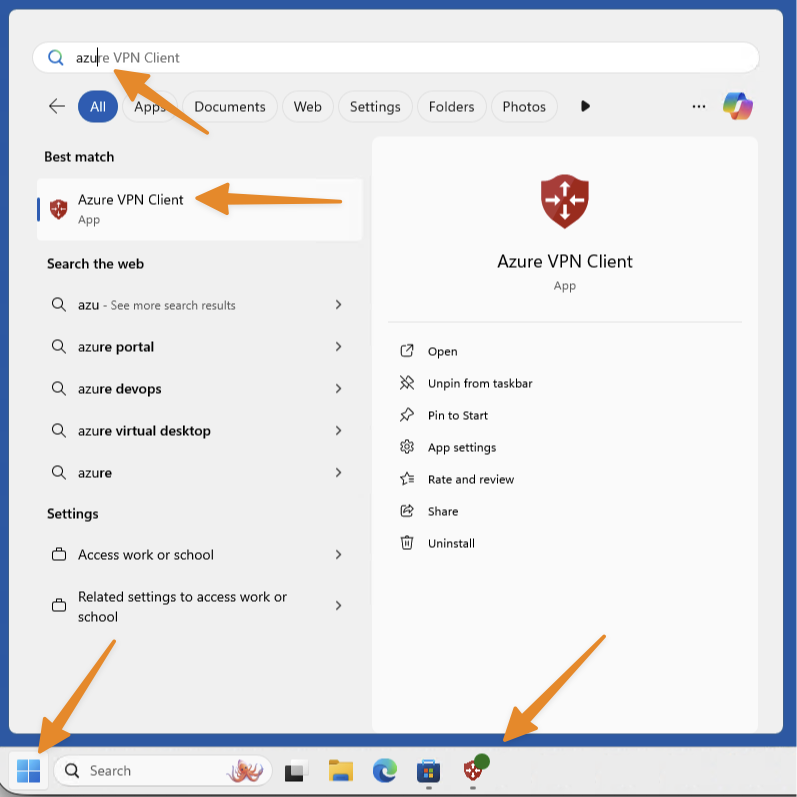
If you are unsure whether you use this service — if the Azure VPN Client application is configured on your computer, you will find it in your Start menu and/or taskbar:
I use this service. What do I need to do?
A simple update is required. We are always available to assist if needed.
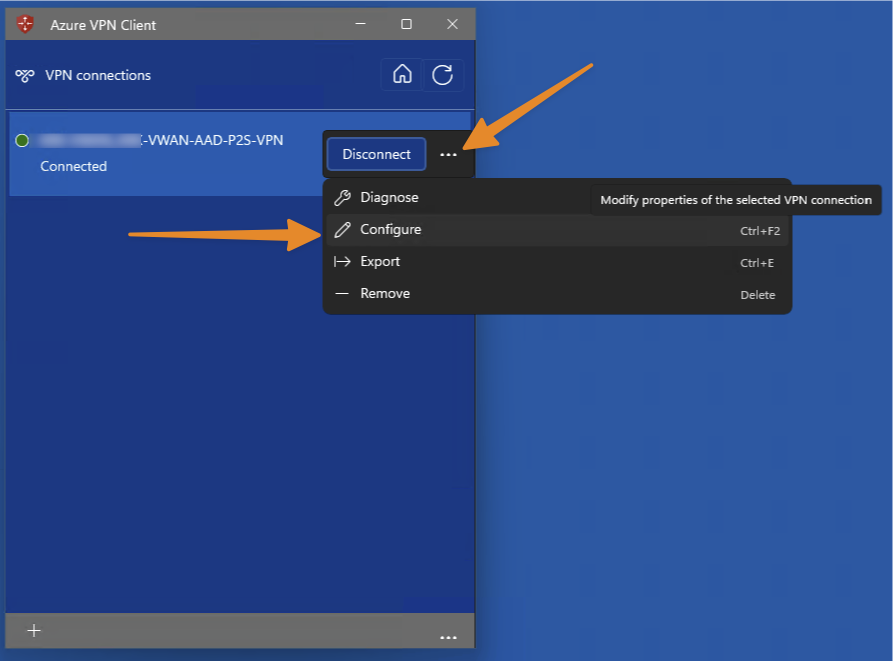
Open the Azure VPN Client application, then:
Select the Context Menu, then select Configure.
Scroll to the Audience field.
Delete the existing value and replace it with the following, then select Save:
c632b3df-fb67-4d84-bdcf-b95ad541b5c8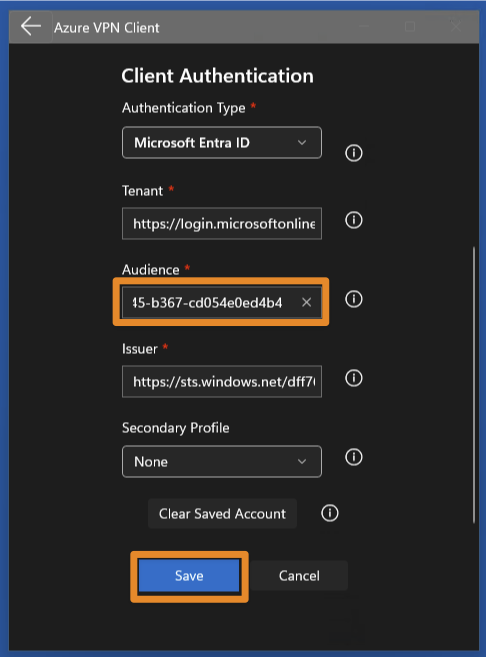
Helpful shortcuts:
Ctrl+A to select all, Ctrl+C to copy, Ctrl+V to paste.A reboot for good measure, but that should be it!
Still need help?
Submit a Ticket